Late August 2026 quietly changed how many Google results feel when you still rank. On August 27, SEOs started spotting AI Overviews that no longer sat behind a polite “Show more.” By August 28, Search Engine Roundtable and Search Engine Land reported the same pattern: for some queries, Google auto-expands the overview into an AI Mode–style answer—full response, “Ask anything,” classic blue links shoved much farther down the page.
That is not a reason to abandon title tags. It is the opposite. When you still earn a classic result under (or beside) an expanded overview, the title tag is one of the few CTR levers you fully control. A meta title checker that grades length, clarity, and query match is how you stop guessing and ship a blue link people will actually click.
What changed on August 27–28, 2026
Coverage from Search Engine Roundtable (August 28) and Search Engine Land (same day) lined up with what Chris Long flagged a day earlier: Google is dynamically expanding AI Overviews for some queries into something that looks and behaves like AI Mode. The compact snippet becomes a long answer. The “Show more” affordance disappears. The page loads an interactive follow-up box. Organic listings do not vanish—they just compete with a much taller generative block.
Google’s confirmation on August 28 made the intent clear enough for practitioners: this is not a one-off bug. It is a SERP layout that will show up more often on queries where Google thinks an expanded answer helps. If your monitoring only tracks “AI Overview present / not present,” you will miss the harder case—overview present and auto-expanded—where classic CTR collapses even when your URL still ranks.
None of that invents a new ranking factor called “title magic.” It raises the cost of a weak title when you do get a classic slot. Users who scroll past the expanded answer decide in a glance. Your title is that glance.
Why the title tag still matters under expanded AI Overviews
Expanded AI answers eat attention first. What remains for organic is a short list of blue links fighting for residual clicks. In that environment:
- Length still decides truncation. Google and Bing still prefer roughly 50–60 characters of useful title text before the display cuts off. Longer titles get clipped; shorter ones waste pixel space and look unfinished.
- Query match still decides relevance. If the user typed “meta title checker” (or a close variant) and your title talks about “on-page SEO tips,” you lose the scan. The primary phrase should appear early and read naturally.
- Clarity beats clever. Under a wall of generative text, cute brand-only titles fail. Lead with the outcome or the page type, then the brand if you have room.
Search Console for tools.positionmysite.com over the last 28 days ending around August 31 shows why this page is worth owning: the Free Meta Title Checker URL itself drew about 288 impressions with only 1 click, the query “moz title checker” showed ~95 impressions and 0 clicks around position 22, and “meta title checker” already appears with a handful of impressions near position 9. That is demand without a dedicated article that pairs the live free test with the August 27–28 AI Overviews expansion story. This post is that pair.
How to run the free Meta Title Checker
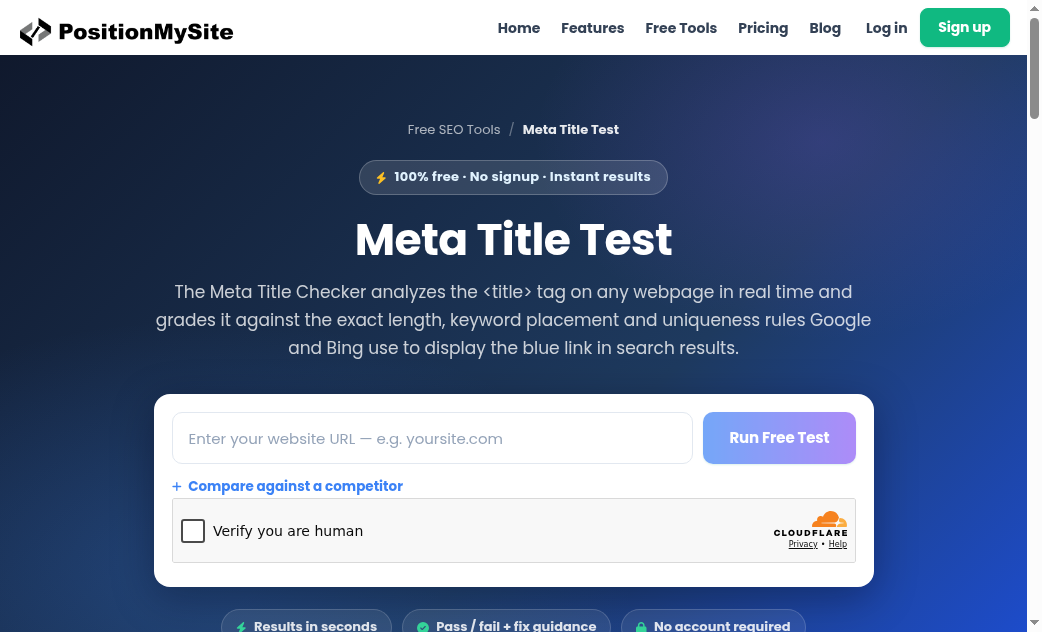
Open the live tool at https://tools.positionmysite.com/tools/meta-title. Paste any public URL, run the free test, and read the pass/fail guidance. You do not need an account. The checker pulls the real <title> tag and grades it against the same practical rules teams use for the blue link: length in the 50–60 character band, readable wording, and whether the title actually matches the intent people search for.
Use it like a pre-flight checklist:
- Confirm the live title. CMS previews lie. The tool reads what search engines fetch from the public URL.
- Fix length first. If you are over ~60 characters, cut filler (“best,” “ultimate,” year stuffing) before you cut meaning. If you are under ~50, add the modifier or benefit that matches the query.
- Put the primary phrase early. For this article that phrase is meta title checker—the same pattern applies to your own money pages: lead with the query people type, not the internal product codename.
- Compare when it helps. The page lets you add a competitor URL. If a rival ranks above you with a clearer title of similar length, that is a CTR problem you can fix today without waiting for a crawl budget miracle.
You can also check meta descriptions in the same free-tools suite when you are polishing snippets. Keep the primary action here on the title tag: under expanded AI Overviews, the blue-link headline is still the first thing a scrolling user reads about your result.
A practical rewrite pattern after AI Mode–style expansion
Assume you still rank for a commercial or how-to query that now triggers an auto-expanded overview. Before you rewrite content or chase citations, run the title through the checker and apply this pattern:
- Before: “Welcome | Acme Corp – Digital Solutions Since 2012” (brand-first, vague, long).
- After: “Meta Title Checker: Free 50–60 Char SEO Tag Test” (query-first, outcome clear, length controlled).
The second version survives truncation, matches intent, and still leaves room for brand if you need it at the end. Repeat the check after publish. CDNs and page builders sometimes serve a different title than the editor shows.
This is different from crawler or llms.txt readiness checks. Those answers ask whether AI systems can fetch and cite your site. A meta title checker answers a narrower, still-critical question: when a classic result appears under an expanded overview, is the blue link title good enough to win the click you still have a shot at?
What not to do
- Do not stuff every synonym into the title. Expanded overviews already saturate the SERP with related language; a jammed title looks spammy and truncates worse.
- Do not treat “AI Overview present” as “SEO is dead.” Classic results still appear. Titles still decide residual CTR.
- Do not skip the live URL check. Staging titles and production titles diverge more often than teams admit.
- Do not confuse this with sending traffic to software build pages or unrelated tool indexes. If the problem is the title tag, fix the title tag on the page that should rank—and verify it with the free meta title checker.
Quick checklist before you close the tab
- Confirm whether your target queries are getting auto-expanded AI Overviews (manual SERP checks on August 27–28 style layouts).
- List URLs that still earn classic blue links on those queries.
- Run each URL through the Free Meta Title Checker linked above.
- Rewrite to 50–60 characters with the primary query early and a clear benefit.
- Re-fetch after deploy; re-check the live title, not the CMS field.
AI Overviews that expand into AI Mode–style answers change how much attention organic results get. They do not remove the need for a sharp title tag. When you still show up as a classic result, length, clarity, and query match are the CTR levers you control—and the free meta title checker on tools.positionmysite.com is the fastest way to prove you fixed them.