
Conducting a Google search may appear straightforward: type in your keywords, and voilà, the desired results appear. However, for SEO professionals, digital marketers, and researchers seeking specialized, niche, or technical information, a standard keyword search often proves insufficient. This is where Google's search operators and commands become invaluable tools for precision searching and competitive intelligence.
While seasoned search professionals are well-acquainted with these powerful operators and commands, newcomers might find them intimidating or complex. This comprehensive guide aims to demystify the fundamentals of search operators and commands, empowering you to harness their full potential for SEO research, technical audits, content marketing, and competitive analysis.
Table of Contents
- Google's Search Operators: What Are They?
- Why Do Google Search Commands Exist?
- Google Search Operator Cheat Sheet
- Technical SEO Audits with Search Operators
- Content Marketing Research
- Link Building and PR Strategies
- Competitive Analysis Techniques
- Other Google Tools Search Operators
- Complete List of Google Search Operators
Google's Search Operators: What Are They?
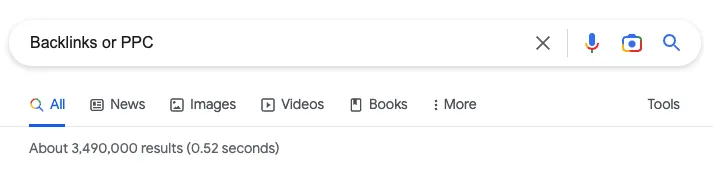
Google search operators (GSO) are special characters and commands that can be incorporated into search terms to yield more precise, targeted results. These powerful tools allow you to refine your searches beyond basic keyword matching, enabling sophisticated queries that can uncover specific information, analyze competitor strategies, and conduct technical SEO audits.
Three Categories of Search Operators
Search operators typically fall into three main categories:
- Punctuation-based search operators: Use symbols like quotes, parentheses, and minus signs
- Boolean search operators: Employ logical operators like OR, AND, and NOT
- Advanced search operators: Utilize specific commands like site:, intitle:, and filetype:
Whether you're seeking an exact phrase, analyzing competitor content, or performing technical SEO audits, there are search operators tailored to your specific needs.
Why Do Google Search Commands or Advanced Search Operators Exist?
Advanced search operators, also known as Google search commands, significantly elevate the search experience by providing enhanced capabilities that standard searches cannot deliver. These specialized commands, when added to a search query, can dramatically alter the search focus and often require additional parameters or specific URLs within the query.
Primary Applications of Advanced Search Operators
These operators are primarily employed to:
- Refine search results: Narrow down results to highly specific criteria
- Extract specific information: Find data unattainable through normal queries
- Conduct technical audits: Analyze website structure and indexation issues
- Perform competitive research: Analyze competitor strategies and content
- Identify opportunities: Find link building and content marketing prospects
Google Search Operator Cheat Sheet
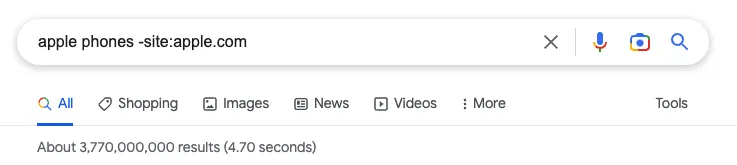
Google offers an extensive range of search engine operators, including unique options tailored for tools like Google Drive and Google Mail. These operators can be employed for various SEO-related tasks, from technical checks to content marketing research and link building opportunities.
Essential Search Operators for SEO Professionals
Here are the most valuable search operators for SEO and digital marketing:
| Operator | Function | Example | Use Case |
|---|---|---|---|
site: |
Search within a specific domain | site:apple.com |
Technical audits, indexation analysis |
intitle: |
Search for keywords in page titles | intitle:"SEO tips" |
Content research, competitor analysis |
inurl: |
Search for keywords in URLs | inurl:blog |
Finding specific page types |
filetype: |
Search for specific file types | filetype:pdf |
Finding resources, documents |
"quotes" |
Exact phrase matching | "digital marketing" |
Precise content research |
- |
Exclude terms from results | apple -fruit |
Filtering unwanted results |
OR |
Search for either term | SEO OR SEM |
Broadening search scope |
* |
Wildcard for unknown words | "best * tools" |
Finding variations of phrases |
Technical SEO Audits with Google Search Operators
Google search operators are invaluable for conducting comprehensive technical SEO audits. By combining these commands with analytical approaches, you can delve deep into website issues using nothing more than sophisticated search syntax.
Checking URL Indexation Status
One of the most fundamental applications is checking whether URLs have been indexed by Google:
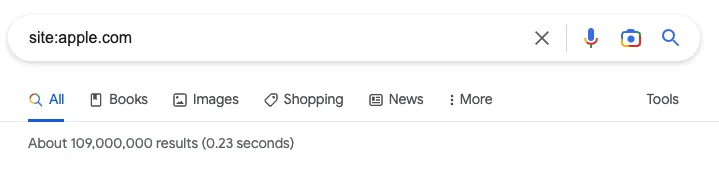
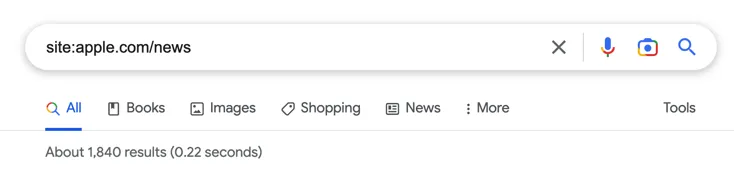
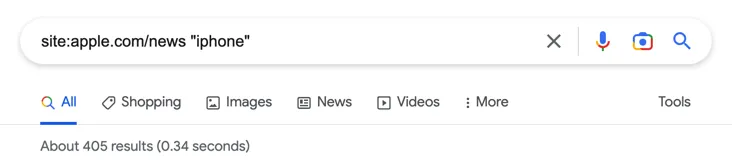
site:apple.com
The site: operator enables you to quickly search for results from a single domain, displaying the total number of indexed pages. This is particularly beneficial when dealing with large websites and identifying potential indexation issues.
Analyzing Specific Website Sections
To examine specific sections of a website, you can refine your search:
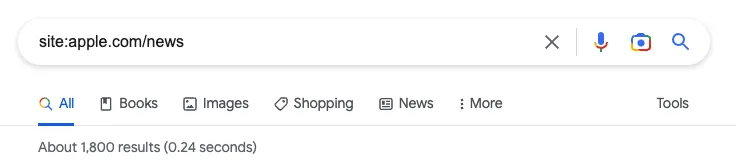
site:domain.com/blog
This operator displays the number of indexed pages for a specific section, allowing you to quickly determine if there are indexation issues in particular areas of the site.
Discovering Subdomains with Wildcards
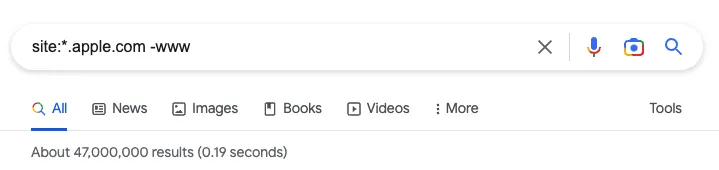
To examine subdomains associated with a domain, use the wildcard operator:
site:*.domainname.com -www
This search employs an asterisk (*) as a wildcard prefix, then removes results containing "www" using the exclusion operator (-), revealing all indexed subdomain content.
Excluding Specific Subdomains
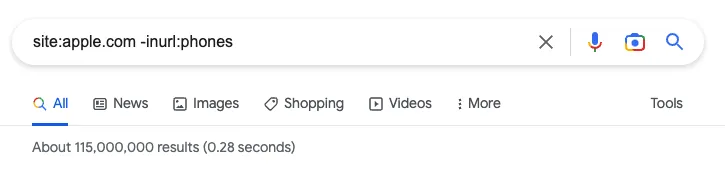
To exclude specific subdomains from your analysis:
site:domainname.com -inurl:subdomainkeyword
This technique is especially useful for filtering out development or staging sites from your searches, or excluding sections you don't want to examine.
Finding Non-Secure Pages
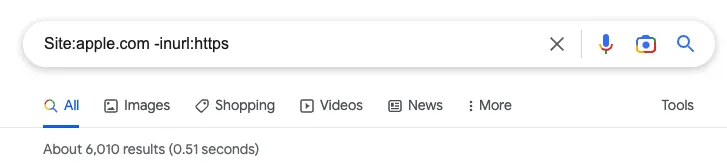
To identify pages still using HTTP instead of HTTPS:
site:domainname.com -inurl:https
This search helps identify security vulnerabilities and pages that haven't been properly migrated to HTTPS.
Checking Website Cache Status
To examine the most recent cache of your domain or URL:
cache:domainname.com
This operator helps verify whether Google has indexed your site and confirms if recent updates have been cached, providing valuable information about crawling and indexing frequency.
Content Marketing Research with Google Search Operators
Google search operators are powerful tools for content marketers conducting research, evaluating competitors, and identifying content opportunities. These operators can significantly enhance your content marketing research by providing focused, relevant results.
Exact Match Content Research
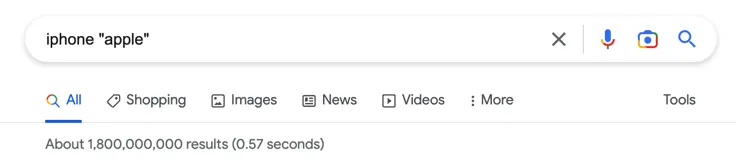
Use quotation marks to force Google to show results where phrases match exactly:
"digital marketing strategy"
The quote operator ensures that terms within quotation marks appear in the same order and form as specified in your query, helping you find precise content matches.
Body Text Content Analysis
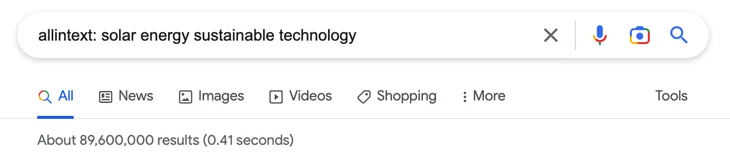
To search exclusively within page content (excluding titles and URLs):
allintext:keyword1 keyword2 keyword3
This operator returns results containing all specified keywords within the body text of web pages, helping you find comprehensive content coverage.
Finding Specific File Types
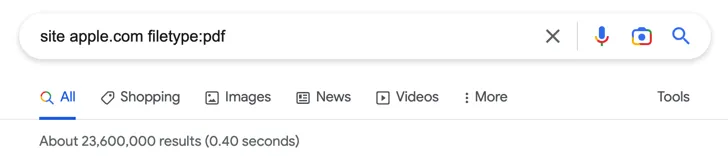
To locate specific document types within a domain:
site:domainname.com filetype:pdf
This search reveals all PDFs hosted on a domain, which can be valuable for finding resources, whitepapers, and research documents.
Boolean OR Searches for Broader Research
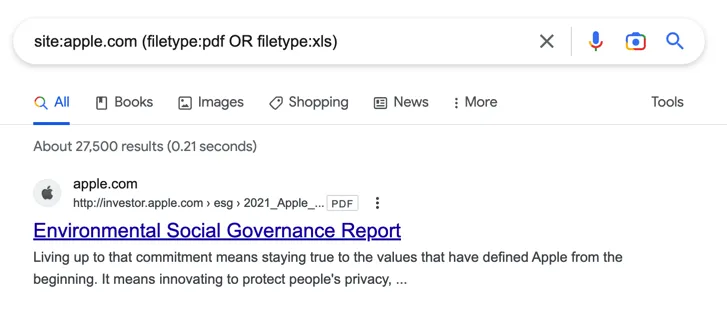
Use the OR operator to find content covering multiple related topics:
keyword1 OR keyword2
This operator displays results containing either search term, expanding your research scope to cover related concepts.
Excluding Unwanted Content
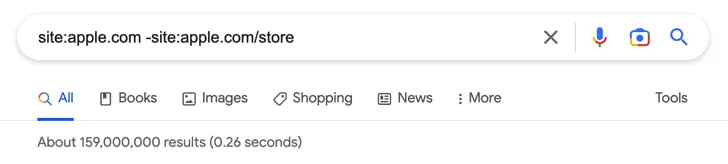
To remove specific sections or topics from your research:
site:domainname.com keyword -unwanted_term
This technique helps filter out irrelevant content and focus on specific aspects of your research topic.
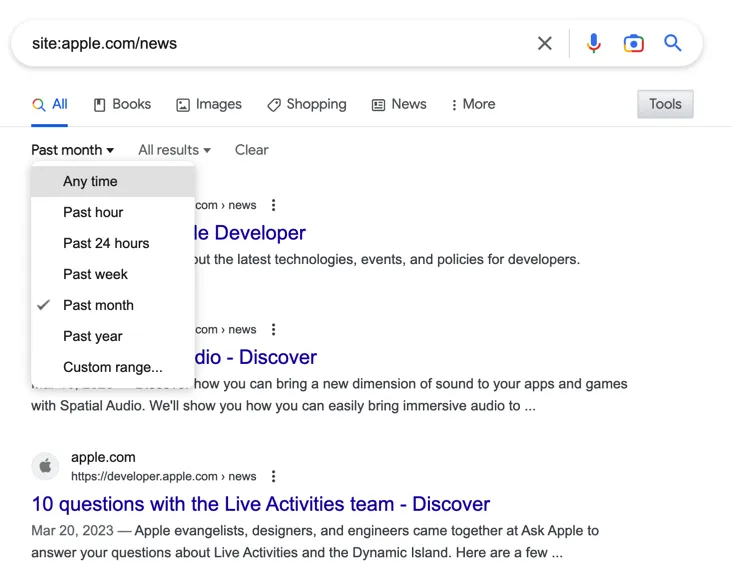
Time-Sensitive Content Research
Google's search tools allow you to filter results by date ranges, which is invaluable for finding recent content or analyzing publishing patterns:
Analyzing Content Volume and Frequency
To understand how frequently competitors publish on specific topics:
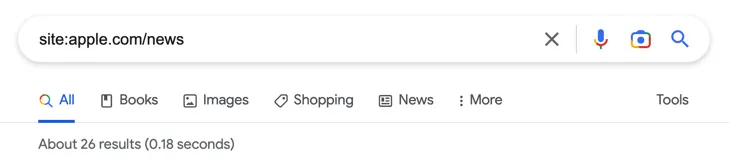
site:domainname.com/blog keyword
This search reveals the total number of posts containing specific keywords, helping you gauge competitor content strategies.
Link Building and PR Strategies with Search Operators
Google search operators are invaluable for identifying link building opportunities, finding guest posting prospects, and conducting PR outreach research.
Finding Guest Posting Opportunities
To discover websites accepting guest contributions:
keyword intitle:"write for us" inurl:"write-for-us"
This search examines both page titles and URLs for relevant guest posting opportunities in your niche.
Alternative Guest Post Phrases
Different sites use various terminology, so try these variations:
"become a contributor""guest post guidelines"inurl:"guest-post""submit article""contribute to our blog"
Combined Guest Post Search
Use Boolean operators to search multiple phrases simultaneously:
keyword (intitle:"write for us" OR intitle:"become a contributor" OR inurl:"guest-post")
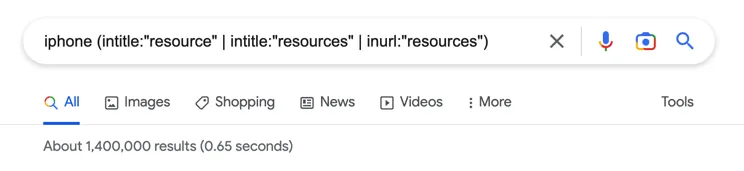
Finding Resource Pages
To identify resource pages where you might earn links:
keyword (intitle:"resource" | intitle:"resources" | inurl:"resources")
Resource pages often link to valuable content, making them excellent targets for link building campaigns.
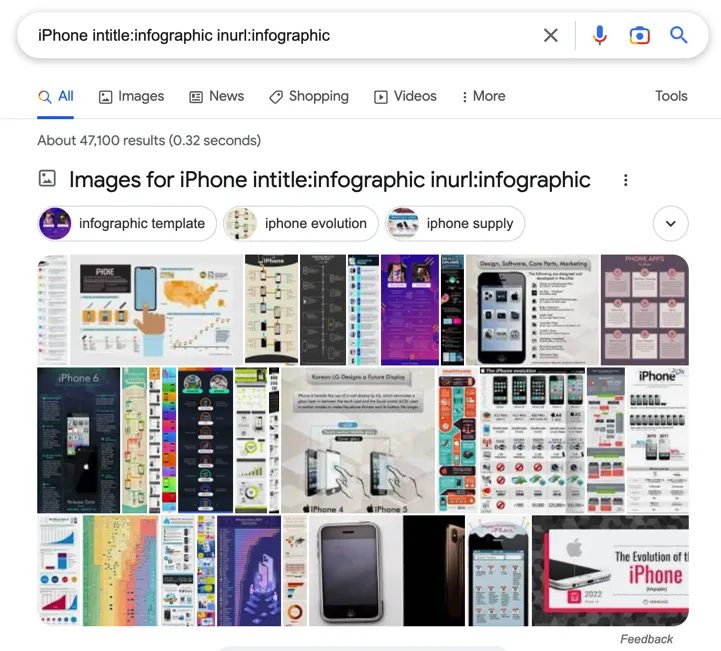
Discovering Infographic Opportunities
To find sites that feature infographics:
keyword intitle:infographic inurl:infographic
This helps identify websites actively featuring visual content, perfect for infographic outreach campaigns.
Finding Related Websites
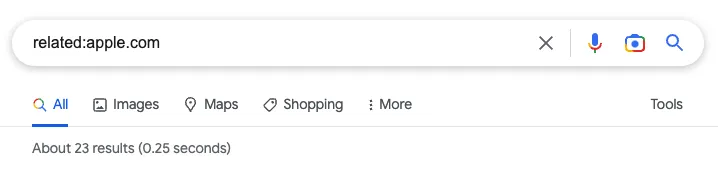
Use the related: operator to discover similar domains:
related:apple.com
This returns websites that Google considers similar to your target domain, providing potential link prospects.
Identifying Competitor Mentions
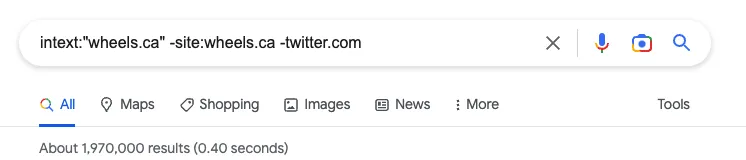
To find where competitors are mentioned without being linked:
intext:"competitor name" -site:competitorsite.com
This reveals unlinked brand mentions that could be converted into backlinks through outreach.
Advanced Competitive Analysis Techniques
Google search operators provide powerful capabilities for analyzing competitor strategies, content approaches, and market positioning.
Analyzing Competitor Content Strategies
To examine competitor blog content:
site:competitor.com/blog
This reveals the total number of blog posts, helping you understand the scope of their content marketing efforts.
Topic-Specific Competitor Analysis
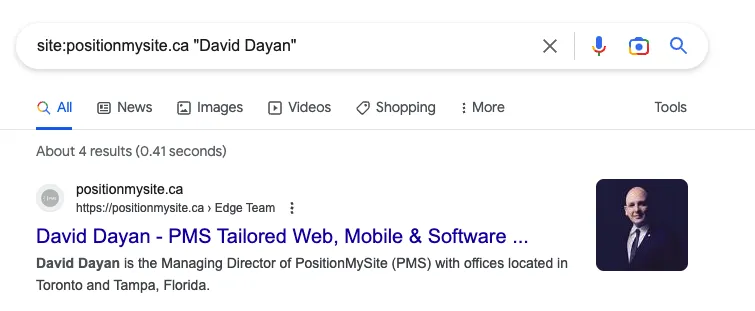
To see how often competitors write about specific topics:
site:competitor.com/blog "topic keyword"
This helps identify their content focus areas and potential gaps in your own strategy.
Title Tag Analysis
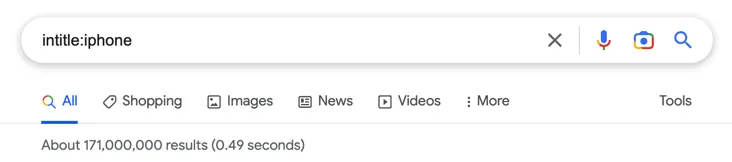
To examine competitor title strategies:
site:competitor.com intitle:"target keyword"
This reveals how competitors optimize their titles for specific keywords.
Content Gap Analysis
To identify topics competitors haven't covered:
site:yoursite.com "topic" -site:competitor.com
This helps identify unique content opportunities where you can gain competitive advantage.

Listicle and Resource Analysis
To find competitor listicles and resource content:
site:competitor.com intitle:"best" OR intitle:"top" keyword
This reveals their approach to list-based content and resource creation.
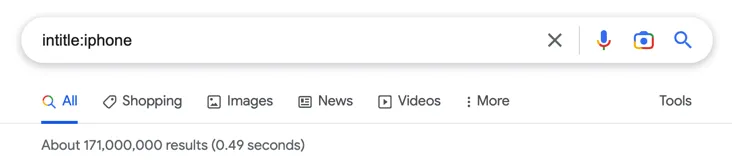
Visual Content Strategy Analysis
To examine competitor visual content strategies:
site:competitor.com filetype:jpg OR filetype:png keyword
This helps understand their visual content approach and identify opportunities for your own visual strategy.
Other Google Tools Search Operators
Beyond standard Google search, various search operators work with other Google tools, including Gmail, Google Drive, and Google Maps, each offering unique functionalities for different use cases.
Google Mail Search Operators
Gmail offers extensive search operators for email management and research:
| Operator | Function | Example |
|---|---|---|
from: |
Specify sender | from:[email protected] |
to: |
Specify recipient | to:[email protected] |
subject: |
Search subject lines | subject:"meeting notes" |
has:attachment |
Find emails with attachments | has:attachment from:client |
is:unread |
Find unread messages | is:unread label:important |
older: |
Messages older than date | older:2023/1/1 |
newer: |
Messages newer than date | newer:2023/6/1 |
Google Drive Search Operators
Google Drive operators help manage and find files efficiently:
| Operator | Function | Example |
|---|---|---|
type: |
Search by file type | type:document |
owner: |
Search by file owner | owner:[email protected] |
title: |
Search file titles | title:"project proposal" |
is:starred |
Find starred items | is:starred type:spreadsheet |
is:trashed |
Find deleted items | is:trashed owner:me |
Google Maps Search Tips
While Google Maps doesn't have traditional search operators, you can use specific search techniques:
- Business categories: "restaurants," "hotels," "museums"
- Nearby searches: "coffee shops near me"
- Specific addresses: Enter full street addresses
- Coordinates: Use latitude and longitude (37.421999, -122.084057)
- Directions: "directions from [origin] to [destination]"
Complete List of Google Search Operators
Here's a comprehensive reference table of all Google search operators, organized by category and functionality:
| No. | Operator | Function | Category | Status |
|---|---|---|---|---|
| 1 | " " |
Exact phrase search | Basic | Active |
| 2 | OR |
Boolean OR search | Basic | Active |
| 3 | | |
Alternative OR operator | Basic | Active |
| 4 | () |
Group operators | Basic | Active |
| 5 | - |
Exclude terms | Basic | Active |
| 6 | * |
Wildcard operator | Basic | Active |
| 7 | #..# |
Number ranges | Basic | Active |
| 8 | $ |
USD currency search | Basic | Active |
| 9 | € |
Euro currency search | Basic | Active |
| 10 | in |
Unit conversion | Basic | Active |
| 11 | site: |
Search specific domain | Advanced | Active |
| 12 | intitle: |
Search page titles | Advanced | Active |
| 13 | allintitle: |
All words in title | Advanced | Active |
| 14 | inurl: |
Search URLs | Advanced | Active |
| 15 | allinurl: |
All words in URL | Advanced | Active |
| 16 | intext: |
Search page content | Advanced | Active |
| 17 | allintext: |
All words in content | Advanced | Active |
| 18 | filetype: |
Search file types | Advanced | Active |
| 19 | ext: |
Search file extensions | Advanced | Active |
| 20 | cache: |
Show cached version | Advanced | Active |
| 21 | related: |
Find similar sites | Advanced | Active |
| 22 | define: |
Get definitions | Advanced | Active |
| 23 | AROUND(X) |
Words within X distance | Advanced | Active |
| 24 | weather: |
Weather information | Advanced | Active |
| 25 | stocks: |
Stock information | Advanced | Active |
| 26 | map: |
Force map results | Advanced | Active |
| 27 | movie: |
Movie information | Advanced | Active |
| 28 | source: |
News source filter | Advanced | Active |
| 29 | info: |
Domain information | Advanced | Active |
| 30 | link: |
Find linking pages | Advanced | Deprecated |
Advanced Search Operator Combinations
The true power of Google search operators emerges when you combine multiple operators to create sophisticated queries that deliver highly targeted results.
Multi-Operator Technical Audits
Combine operators for comprehensive technical analysis:
site:domain.com (filetype:pdf OR filetype:doc OR filetype:ppt) -inurl:secure
This query finds all document files on a domain while excluding secure areas, helping identify publicly accessible sensitive documents.
Content Gap Analysis
Identify content opportunities by comparing your coverage to competitors:
(site:competitor1.com OR site:competitor2.com) "target keyword" -site:yoursite.com
This reveals content topics your competitors cover that you don't, highlighting potential content gaps.
Link Prospect Research
Find high-quality link prospects with multiple criteria:
intitle:"resources" inurl:"resources" keyword -site:competitor.com
This locates resource pages relevant to your keyword while excluding competitor sites from results.
Best Practices for Search Operator Usage
To maximize the effectiveness of Google search operators, follow these proven best practices:
Operator Syntax Guidelines
- No spaces after colons: Use
site:example.com, notsite: example.com - Case sensitivity: Boolean operators (OR, AND) must be uppercase
- Quote usage: Use quotes for exact phrases, not individual words
- Parentheses grouping: Group complex operators logically
Research Methodology
- Start broad, then narrow: Begin with basic operators, then add refinements
- Test variations: Try different keyword combinations and operator orders
- Document successful queries: Save effective operator combinations for future use
- Validate results: Always verify operator results manually for accuracy
Common Pitfalls to Avoid
- Over-reliance on deprecated operators: Some operators like
link:are unreliable - Ignoring result limitations: Google may not show all results for broad queries
- Misunderstanding operator scope: Some operators work differently across Google services
- Neglecting mobile results: Search results can vary between desktop and mobile
Advanced Applications for SEO Professionals
Professional SEO practitioners can leverage search operators for sophisticated analysis and strategic insights.
Comprehensive Site Architecture Analysis
Use operators to understand site structure and identify optimization opportunities:
- Category analysis:
site:domain.com/category/ - Parameter identification:
site:domain.com inurl:? - Subdirectory indexation:
site:domain.com/blog/ -inurl:page - Duplicate content detection:
site:domain.com "exact duplicate text"
Competitive Intelligence Gathering
Develop comprehensive competitor profiles using operator combinations:
- Content volume analysis:
site:competitor.com/blog - Topic authority assessment:
site:competitor.com "industry keyword" - Content freshness evaluation: Use date filters with site searches
- Resource page identification:
site:competitor.com intitle:"resources"
Link Building Campaign Development
Create systematic approaches to link prospecting:
- Guest post opportunity mapping:
keyword (intitle:"write for us" OR inurl:"guest-post") - Broken link identification:
site:domain.com intext:"404" OR intext:"not found" - Unlinked mention discovery:
"brand name" -site:brandsite.com - Industry directory finding:
keyword intitle:"directory" OR intitle:"listing"
Future of Google Search Operators
As Google's search technology evolves, the landscape of search operators continues to change. Understanding these trends helps future-proof your search strategies.
Emerging Trends and Changes
- AI Integration: Google's AI advancements may affect operator functionality
- Privacy Considerations: Some operators may be restricted for privacy reasons
- Mobile-First Evolution: Operators may behave differently on mobile platforms
- Specialized Search Interfaces: New Google services may introduce unique operators
Staying Current with Operator Changes
- Regular testing: Periodically verify that your favorite operators still work
- Community engagement: Follow SEO communities for operator updates and discoveries
- Documentation updates: Keep your operator reference materials current
- Alternative tool preparation: Have backup research methods for deprecated operators
Conclusion: Mastering Google Search for SEO Success
Google search operators represent a powerful arsenal of tools that can significantly enhance your SEO research capabilities, competitive analysis, and technical auditing processes. By mastering these operators and understanding their applications, you can unlock insights that would be difficult or impossible to obtain through standard search methods.
The key to success with search operators lies in understanding not just what each operator does, but how to combine them strategically to answer specific business questions and solve particular SEO challenges. Whether you're conducting technical audits, researching content opportunities, or building comprehensive link building campaigns, these operators provide the precision and depth needed for professional-level SEO work.
As Google's search technology continues to evolve, staying current with operator functionality and discovering new applications will remain crucial for maintaining competitive advantage. The investment in mastering these tools pays dividends through more efficient research processes, deeper competitive insights, and more effective SEO strategies.
Remember that while search operators are powerful tools, they work best when combined with other SEO tools and methodologies. Use them as part of a comprehensive approach to SEO research and analysis, always validating your findings and staying aware of their limitations.
Ready to implement advanced search operator techniques in your SEO strategy? Our team at PositionMySite specializes in comprehensive SEO research and analysis using these advanced techniques. Learn more about our proven approach to SEO or explore our full range of digital marketing services.