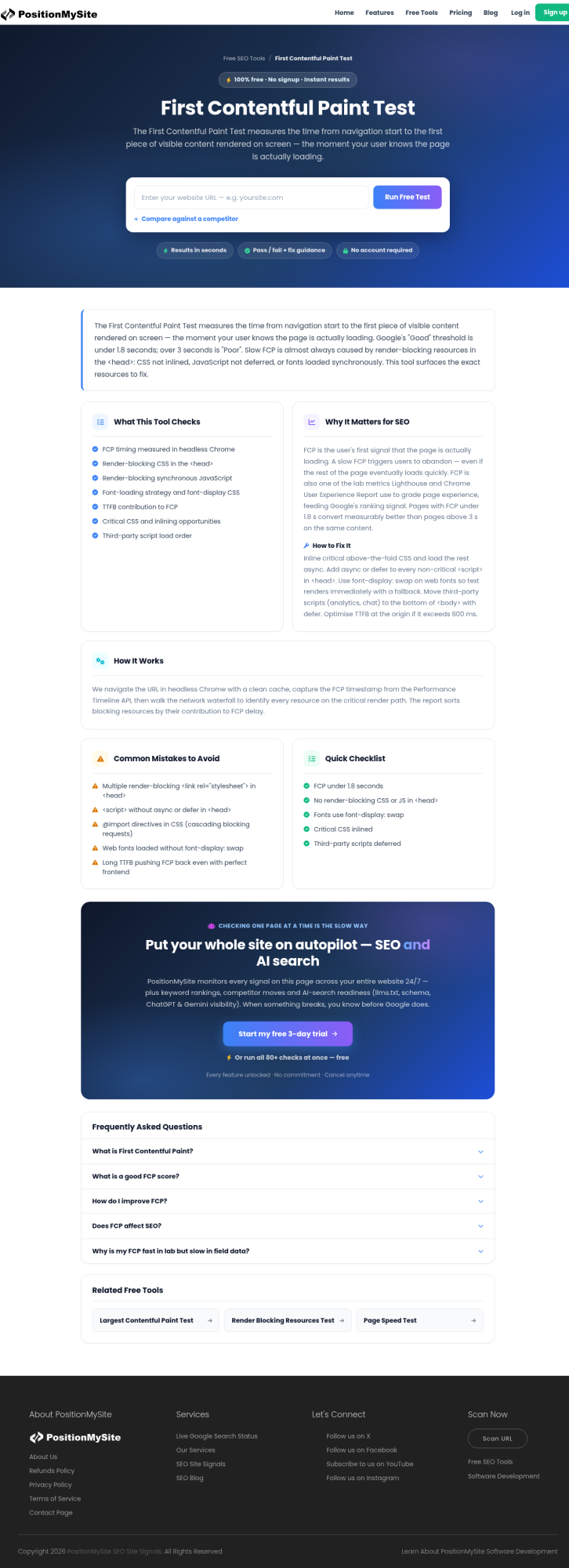
Search Console is already sending people to a specific free check on Site Signals: the First Contentful Paint Test. Over the last 28 days that URL picked up impressions around average position 11, with queries like “first contentful paint test” and “fcp checker” landing clicks. That is a different job from another generic “why your site is slow” essay. It is a lab-style FCP read on one live URL, before you burn a week chasing Largest Contentful Paint in the wrong place.
Google’s own Core Web Vitals set for ranking still centers on LCP, INP, and CLS. FCP is not one of those three. web.dev still treats FCP as a loading diagnostic: how long until any text, image, non-white canvas, or SVG paints. Good field FCP sits at 1.8 seconds or less at the 75th percentile. Poor starts above 3.0 seconds. If first paint is late, LCP almost never recovers on its own.
What FCP actually measures
First Contentful Paint starts at navigation and ends when the browser paints the first bit of content. A spinner that is not content does not count. A hero that is still a blank box does not count. The first real text node or image paint does. That is why FCP can look “fine” while LCP is terrible: the logo rendered early, and the real product block arrived two seconds later.
It is also why a single Lighthouse screenshot is not the whole story. Lab FCP on your laptop is useful for debugging. Field FCP from CrUX and Search Console’s speed report is what users actually felt. Use the free test to catch the obvious lab failures on a URL you control, then confirm the same template in Search Console before you declare victory.
Run the free First Contentful Paint Test first
Open the FCP audit tool, paste a production URL, and run it. You want a clear number, not a vibes-based “it feels okay on Wi‑Fi.” If FCP is already past about 1.8 seconds in the lab on a clean run, stop arguing about font personality and look at the critical path.
Typical blockers show up in the same report family as FCP: render-blocking CSS and JS, slow TTFB, font delays that leave text invisible, and oversized above-the-fold assets. Site Signals also has sibling checks for render-blocking resources and LCP when you are ready to separate first paint from largest paint. Do not merge those three into one vague “speed score” in the ticket.
FCP vs LCP: fix the order of work
Teams often start with LCP because it is a Core Web Vital. That is fine when the largest element is obvious and first paint is already healthy. It is wasteful when the page has not painted anything useful yet. A late FCP usually means the HTML, CSS, or font pipeline is still stuck. Fix that, then re-measure LCP. Otherwise you compress a hero image that never had a chance to paint on time because the stylesheet queue was blocked.
A practical sequence:
- Run the FCP test on the money URL (home, product, pricing, lead form).
- If FCP is poor, clear render-blocking and server delay before redesigning the hero.
- Re-run FCP, then run the LCP test on the same URL.
- Only then chase CLS and INP on interaction-heavy templates.
What to change after a bad FCP
Keep the fix list boring and ordered. Cut or defer render-blocking scripts in the head. Inline or split critical CSS so first text is not waiting on a full bundle. Preconnect to the font and CDN origins you actually use on first paint. Stop shipping webfonts that hide text until every weight arrives. Reduce redirects on the entry URL. Improve TTFB if the HTML itself is late. Compress and correctly size the first visible image if that image is what paints first.
Skip the theater. A new homepage carousel does not fix a 4-second FCP caused by three synchronous scripts and a cold origin. Measure, change one class of blocker, measure again on the same URL.
How this ties to rankings without overclaiming
Google still documents LCP, INP, and CLS as the Core Web Vitals that feed page experience alongside other ranking systems. FCP is upstream evidence. When Search Console shows a template struggling on loading, a free FCP check tells you whether users wait too long to see anything at all. That is actionable for engineering. It is not a promise that shaving 200 ms of FCP alone will leapfrog a stronger competitor on a competitive head term.
If you only remember one distinction from this post: FCP tells you when content starts; LCP tells you when the main content finishes. Site Signals gives you a dedicated first-contentful-paint test so those two jobs stay separate in the backlog.
A short checklist before you close the ticket
- Did you test the live URL, not staging with empty cache theater only?
- Is lab FCP at or under ~1.8s on a repeatable run?
- Did you re-check field data in Search Console after deploy, not only Lighthouse?
- Did you avoid “fixing speed” by changing fonts, images, and third-party tags in one unmeasured dump?
- Have you linked the ticket to the FCP tool result and the follow-up LCP result?
Bottom line
People are already searching for a first contentful paint test. Give them the check that matches the query, then use the number to sequence LCP work. Run the free First Contentful Paint Test on the URL that makes you money, fix what delays first paint, and only then argue about the largest element on the page.